[02]Workshop
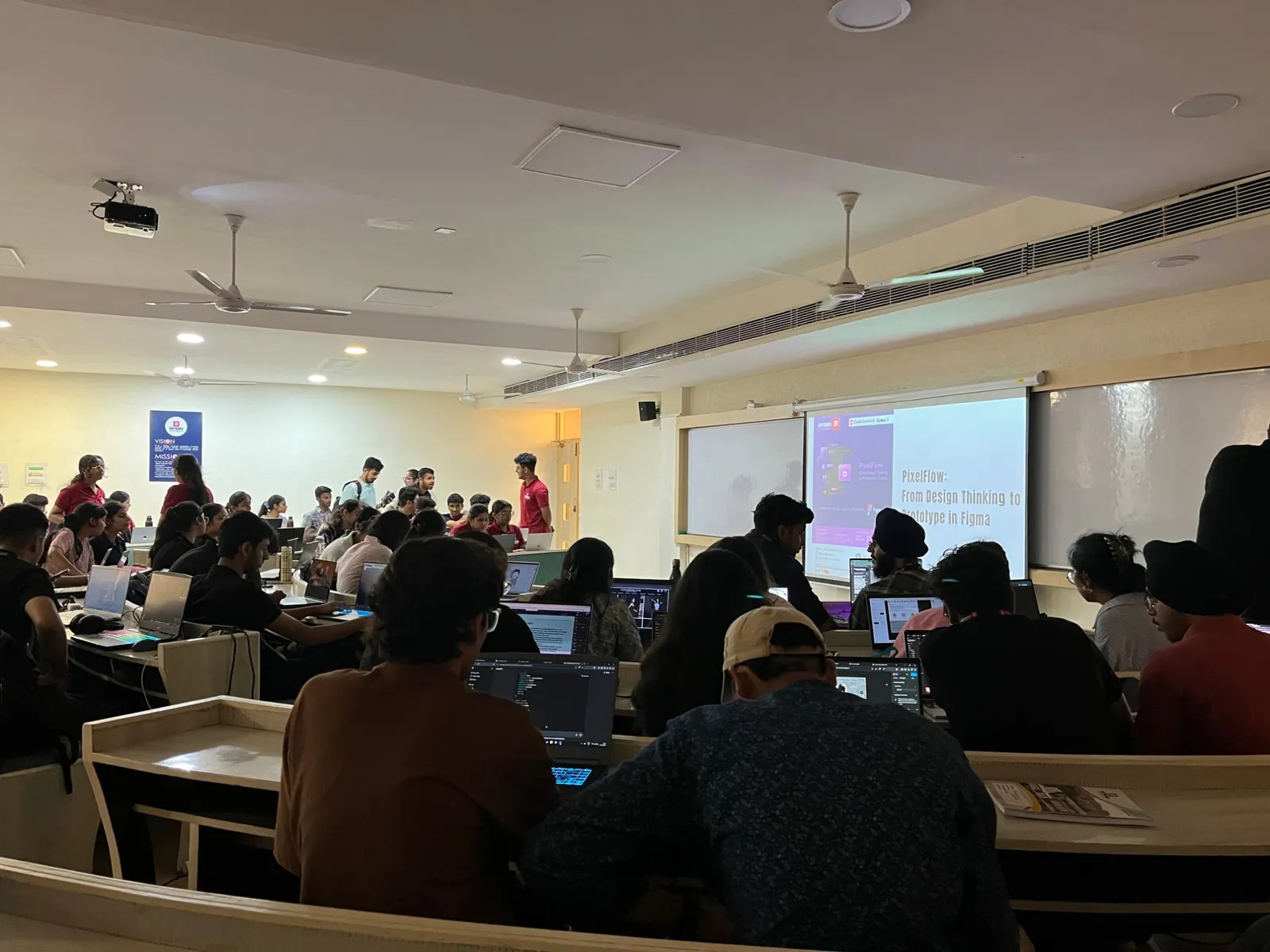
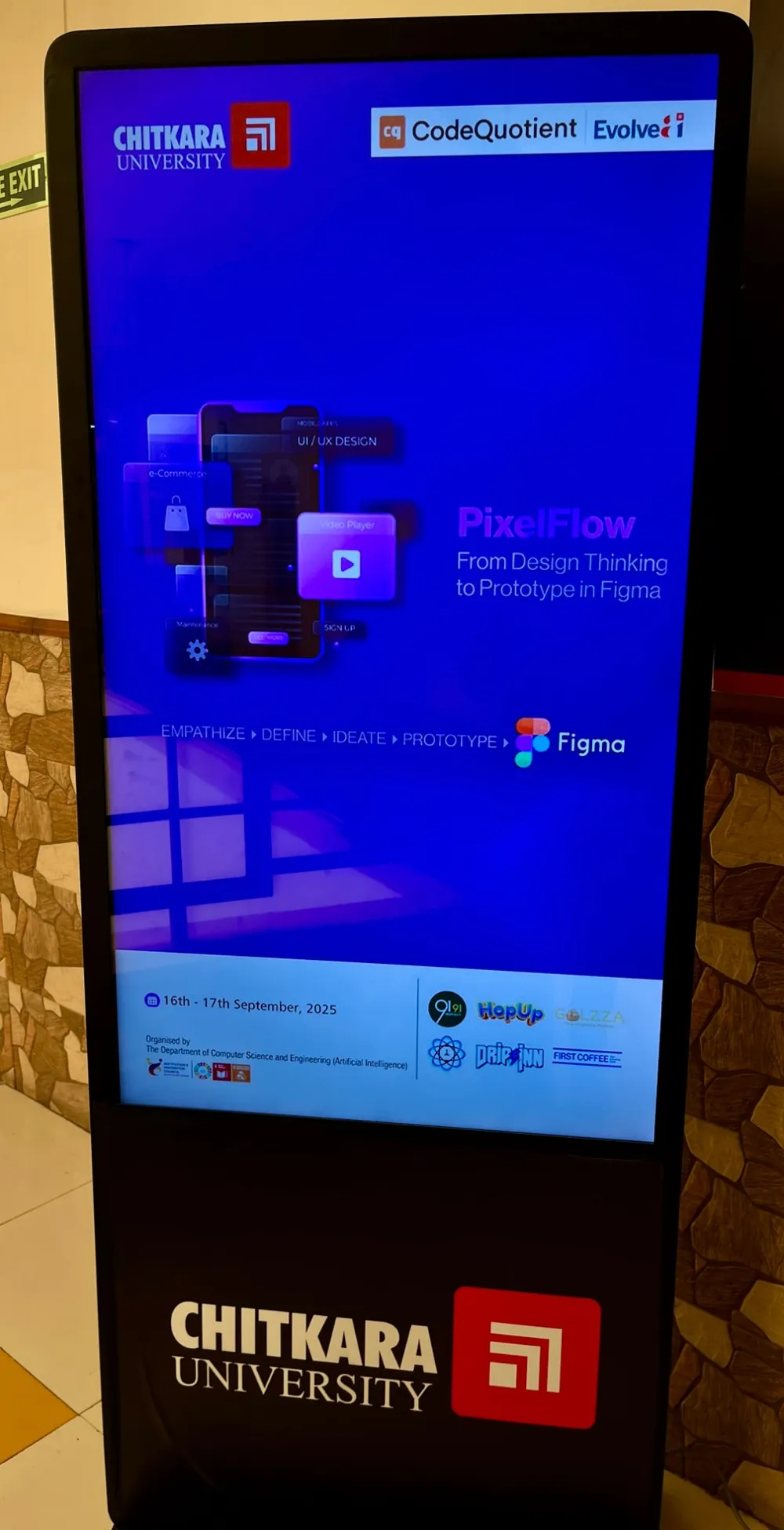
★ National Coding Week 2025PixelFlow: From Design Thinking to Prototype in Figma
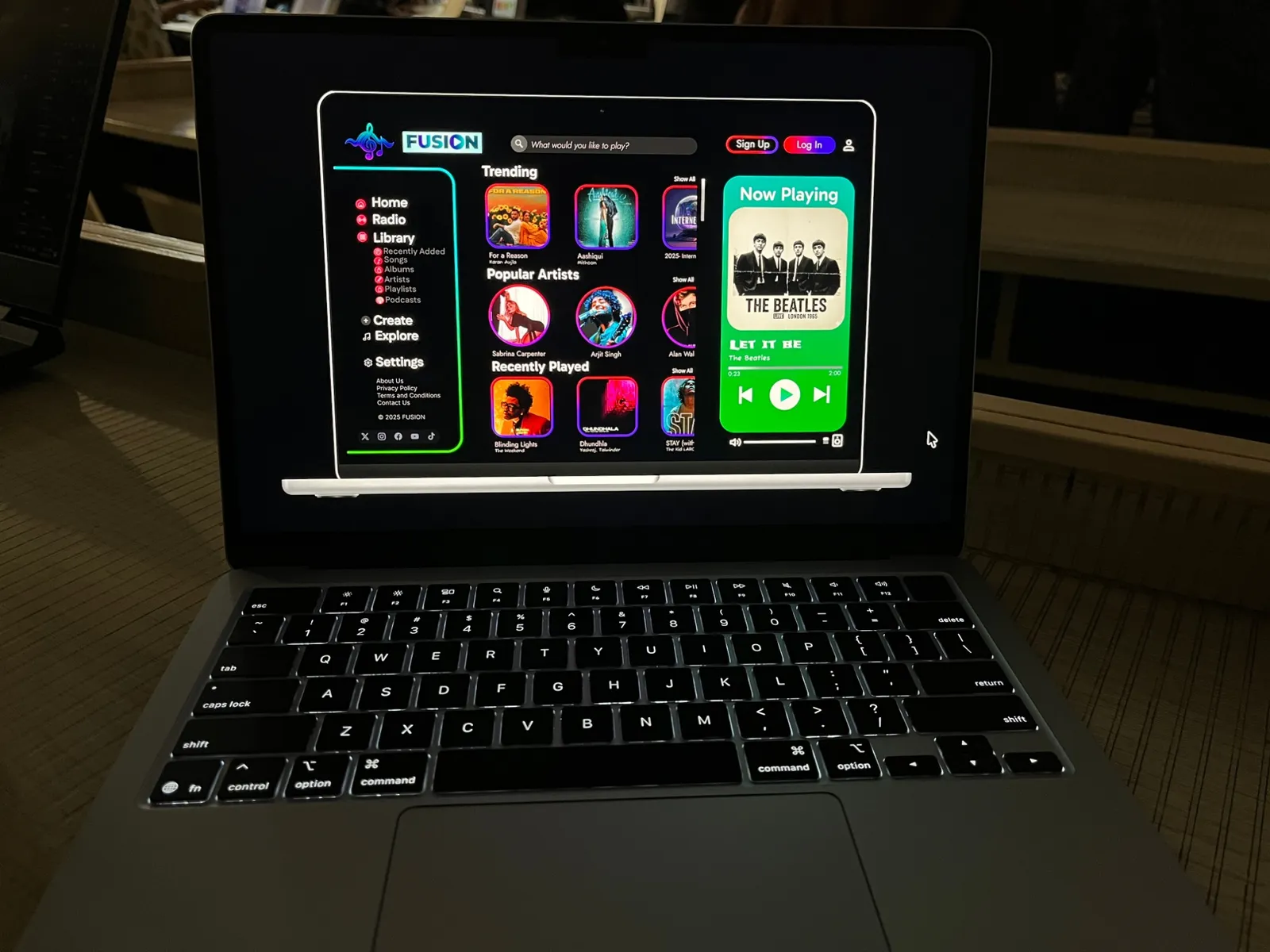
Two days of National Coding Week 2025 on the modern product design workflow: empathize, define, ideate, prototype, then let AI tools carry a Figma prototype across into code. My mockup was FUSION, a dark, neon music streaming app, and I later built it in HTML and CSS, one stage at a time. 🎨
- When
- 16 September 2025
- Where
- Chitkara University, Punjab
- Hosted by
- Evolve AI · Department of CSE-AI, Chitkara University
- Part of
- National Coding Week 2025
[01]Design vs. code
 FigmaCode
Drag to compare the Figma frame with the code. 🎨
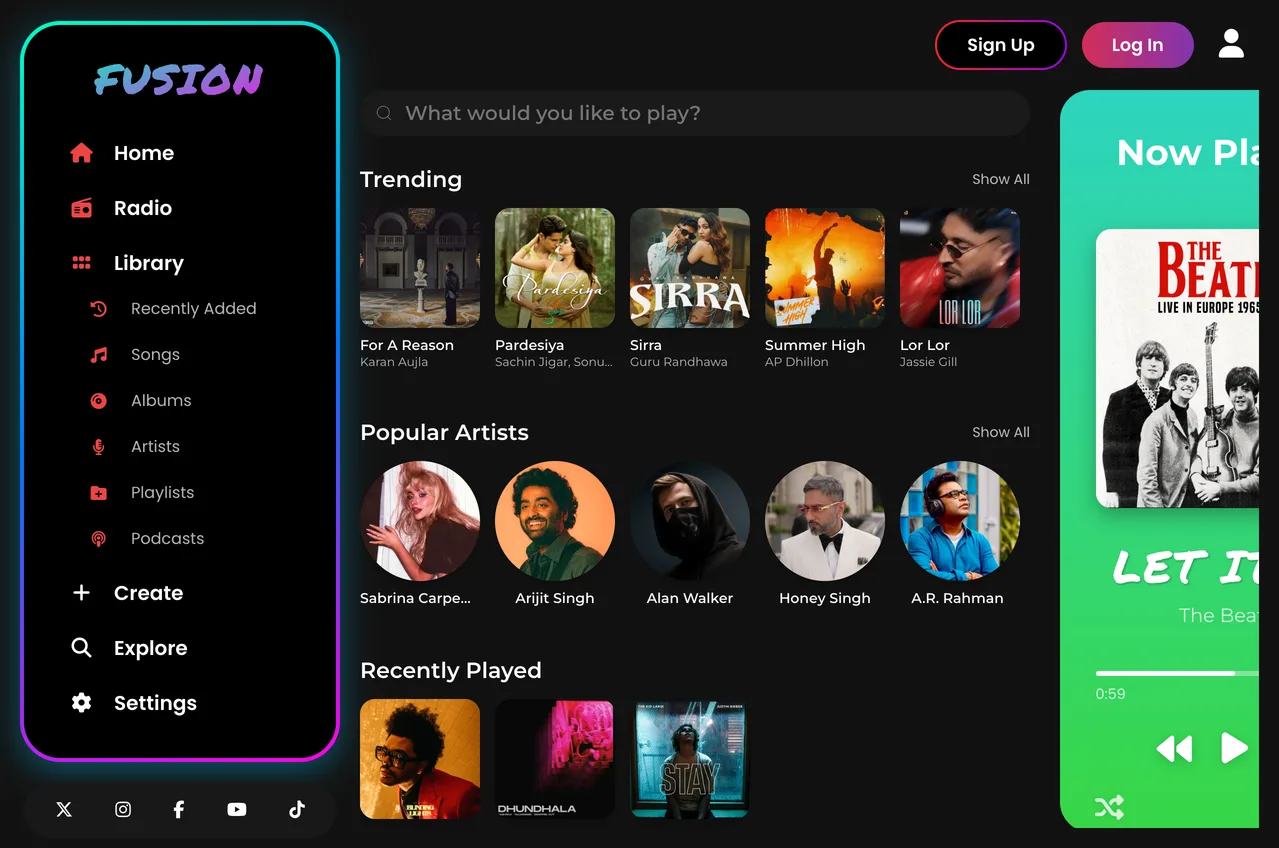
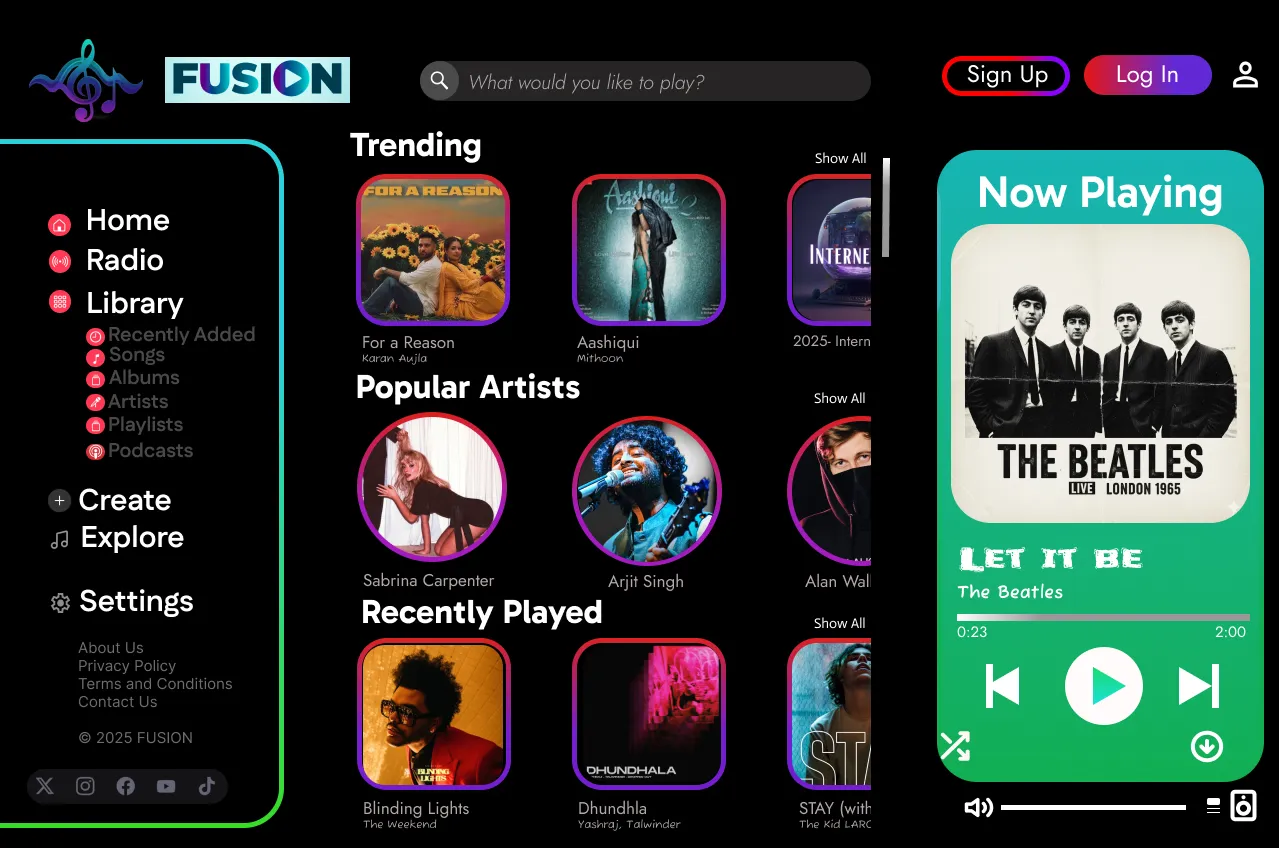
Same three columns, a few changes on the way. The treble-clef logo became a gradient FUSION wordmark, the Now Playing card got the Beatles' cover from Europe 1965 and 1966, and the Trending row picked up new songs.
[02]From frame to code 🎨
From a design thinking brief to a working page. The mockup came first; then the code, one component at a time, the way the repo still has it: Stage 1 to Stage 4, then the final page.
Think before you draw
Design thinkingEmpathize, define, ideate, prototype: the four steps printed across the PixelFlow poster, and the order the workshop worked in before anyone opened Figma.
The mockup
FigmaFUSION, a music app in the dark: a neon gradient sidebar, rows of album art and artists, and a bright green Now Playing card to pull the eye to the right.
The Figma frame Stage 1 · Now Playing
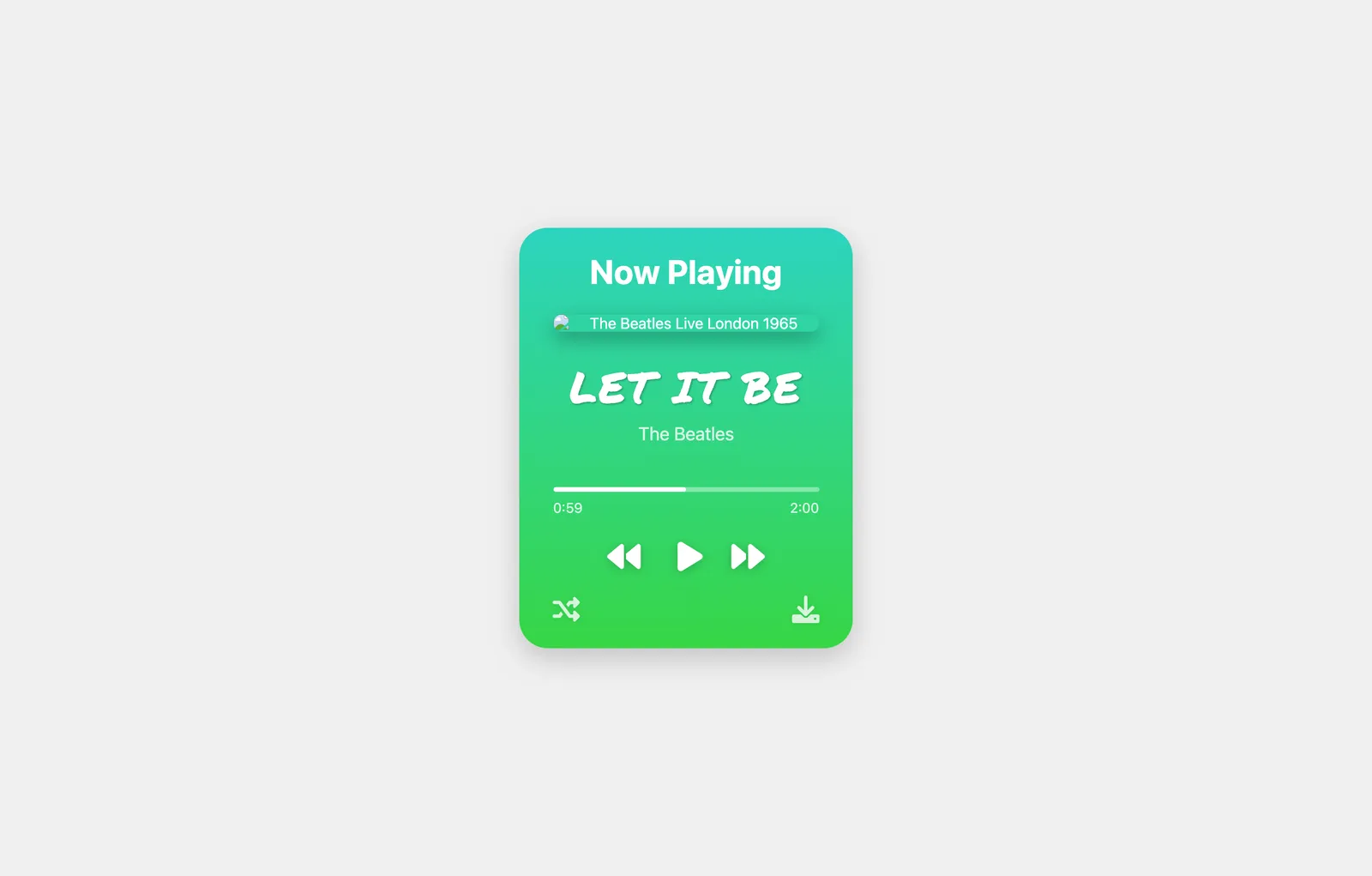
HTML & CSSThe card first, on its own: album art, song title, progress bar and playback controls on a green gradient.
Stage-1.html Stage 2 · Discovery
HTML & CSSA search bar and three horizontally scrolling rows: Trending, Popular Artists and Recently Played.
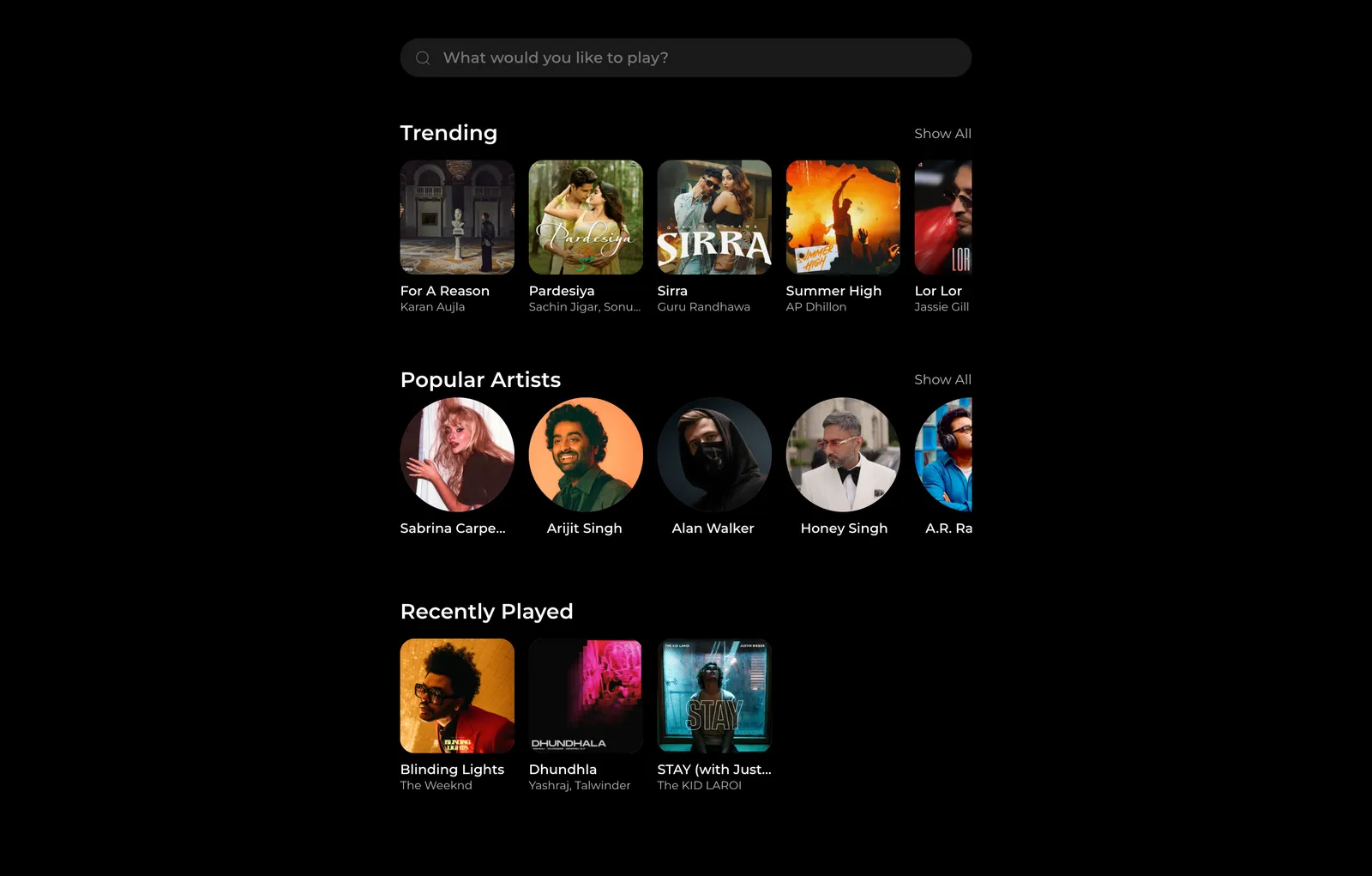
Stage-2.html Stage 3 · Side by side
HTML & CSSStages 1 and 2 merged into one flexbox layout, the feed on the left and the player on the right.
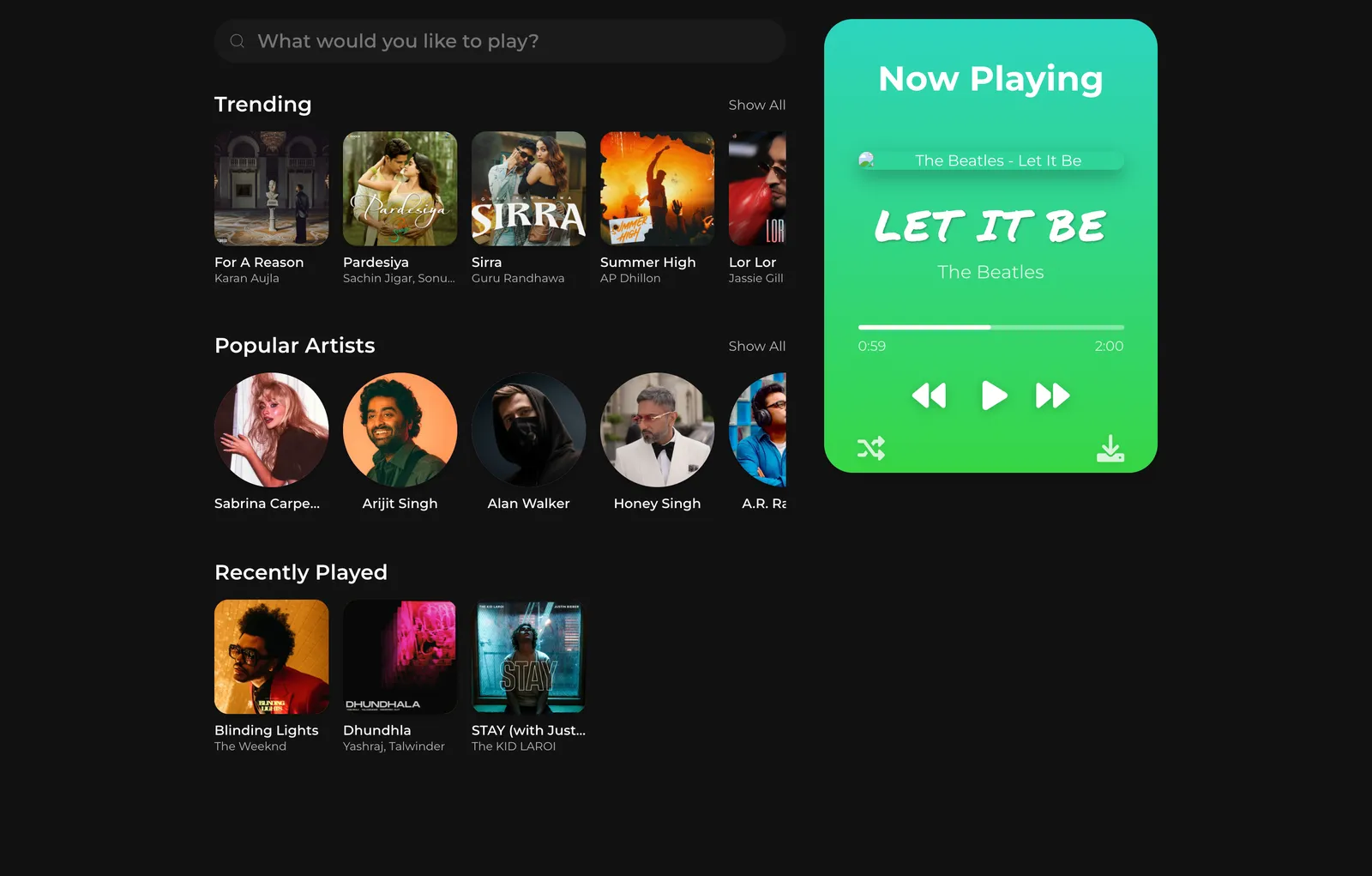
Stage-3.html Stage 4 · The sidebar
HTML & CSSThe navigation, with its gradient border and glow, a library sub-menu, footer links and social icons.
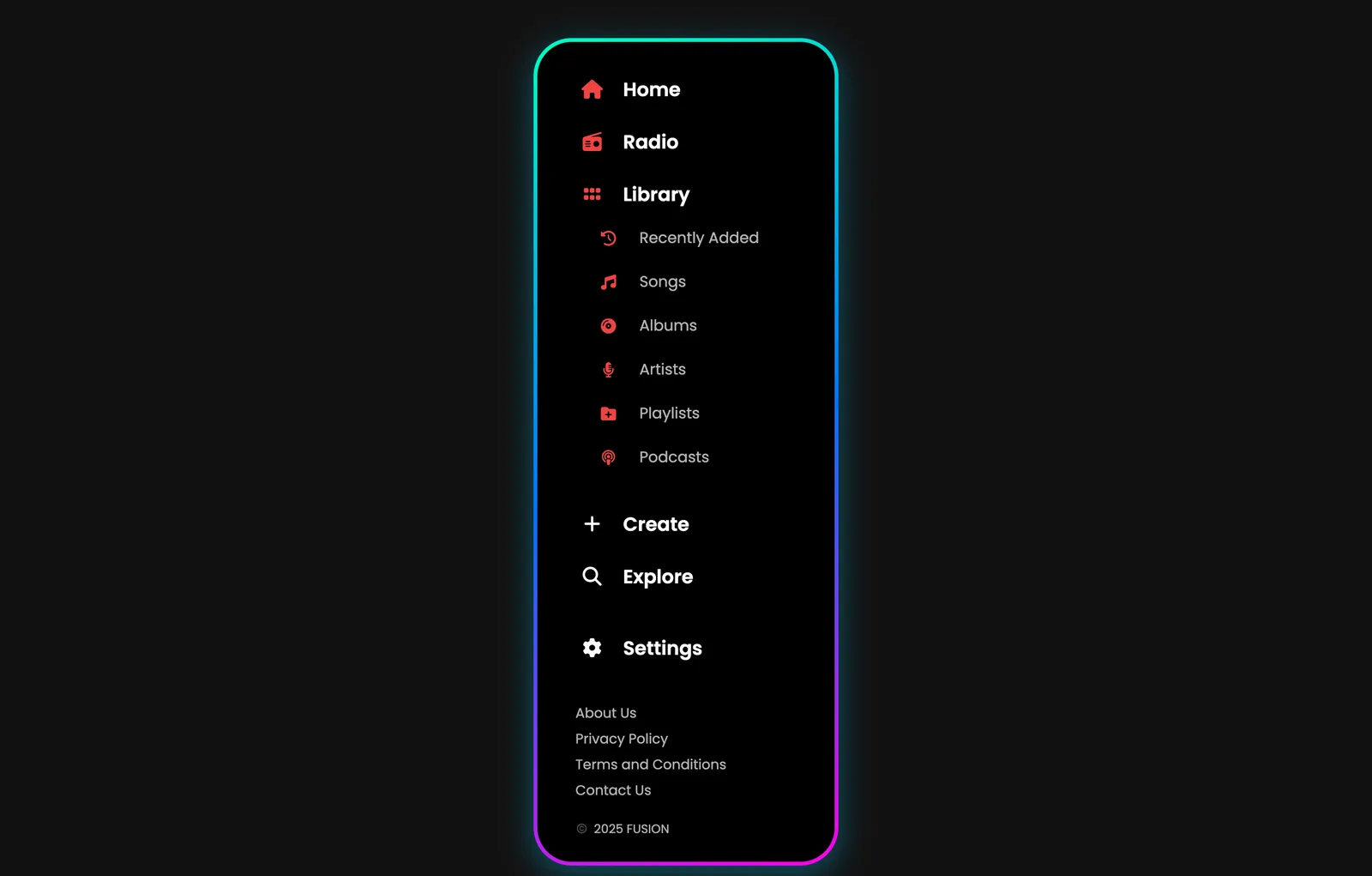
Stage-4.html The final page
HTML & CSSAll four stages in one three-column layout, with Sign Up and Log In buttons, independently scrolling columns and custom scrollbars.
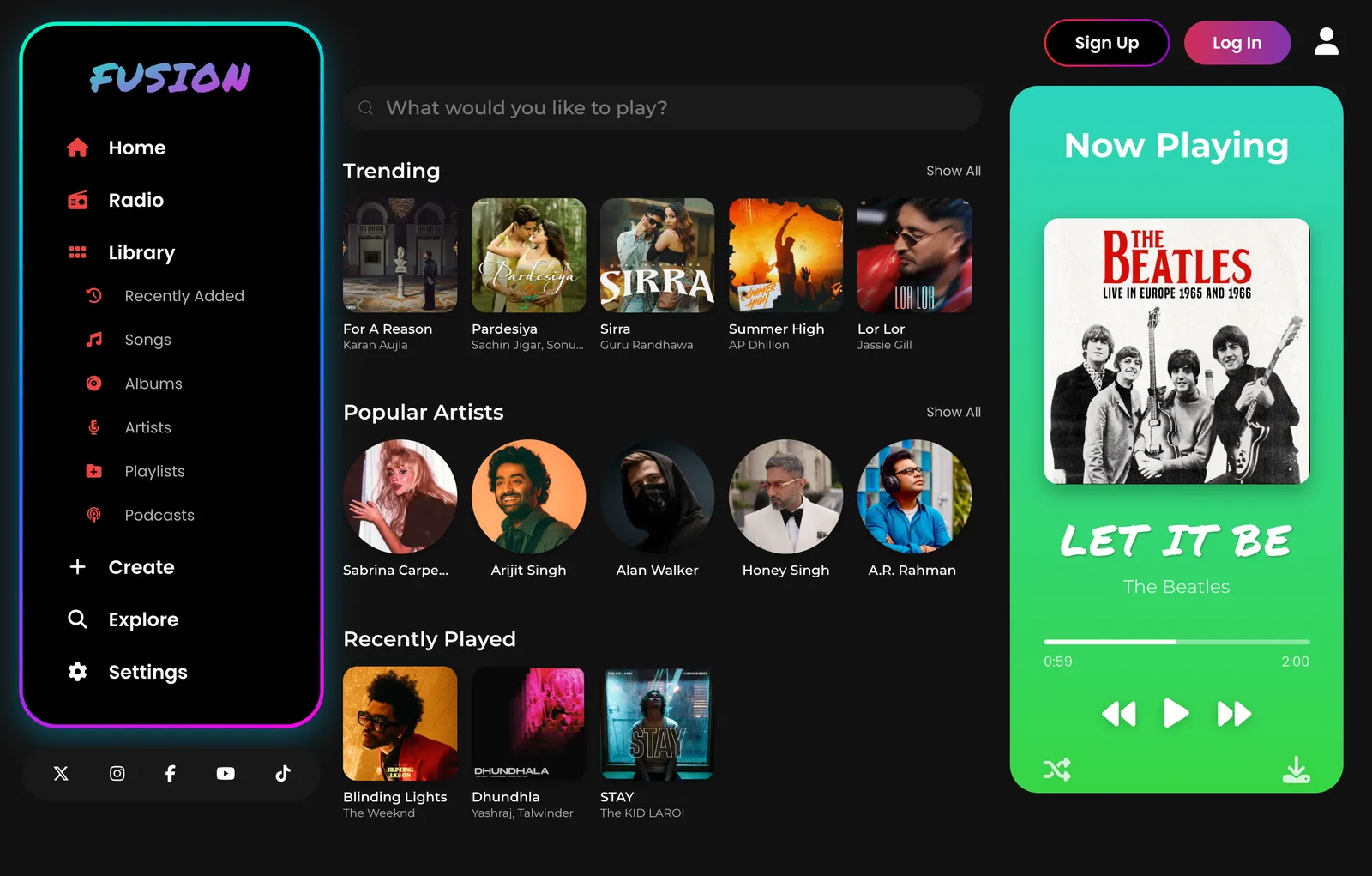
index.html
[03]What I built
FUSION
A music streaming interface, translated from the Figma mockup into plain HTML and CSS: a glowing sidebar, a discovery feed for trending songs, popular artists and recently played, and a green Now Playing card.
Running live, right here. Click around.
[04]What I learned
Design thinking, applied
Using empathize, define, ideate and prototype to shape UI mockups that feel intuitive, before touching a pixel.
Prototyping in Figma
Turning the idea into frames, components and a layout that someone else could build from.
AI from design to code
Using AI tools to bridge design and development, converting Figma prototypes directly into code.
Build it in pieces
One component per stage, then combine. Each stage worked on its own before it joined the rest.
Iterate faster
Creative UI/UX design plus AI-powered implementation is a much quicker loop for building and changing projects.
[05]Credits
Directed by
Govind Jindal
Mockup and prototype
Figma
The build, stage by stage
HTML & CSS
Icons
Font Awesome
Montserrat, Poppins and Permanent Marker
Google Fonts
Hosting
GitHub Pages
In association with
Evolve AI · Department of CSE-AI, Chitkara University
[06]Behind the scenes
[07]The certificate
 That's a wrap ✓
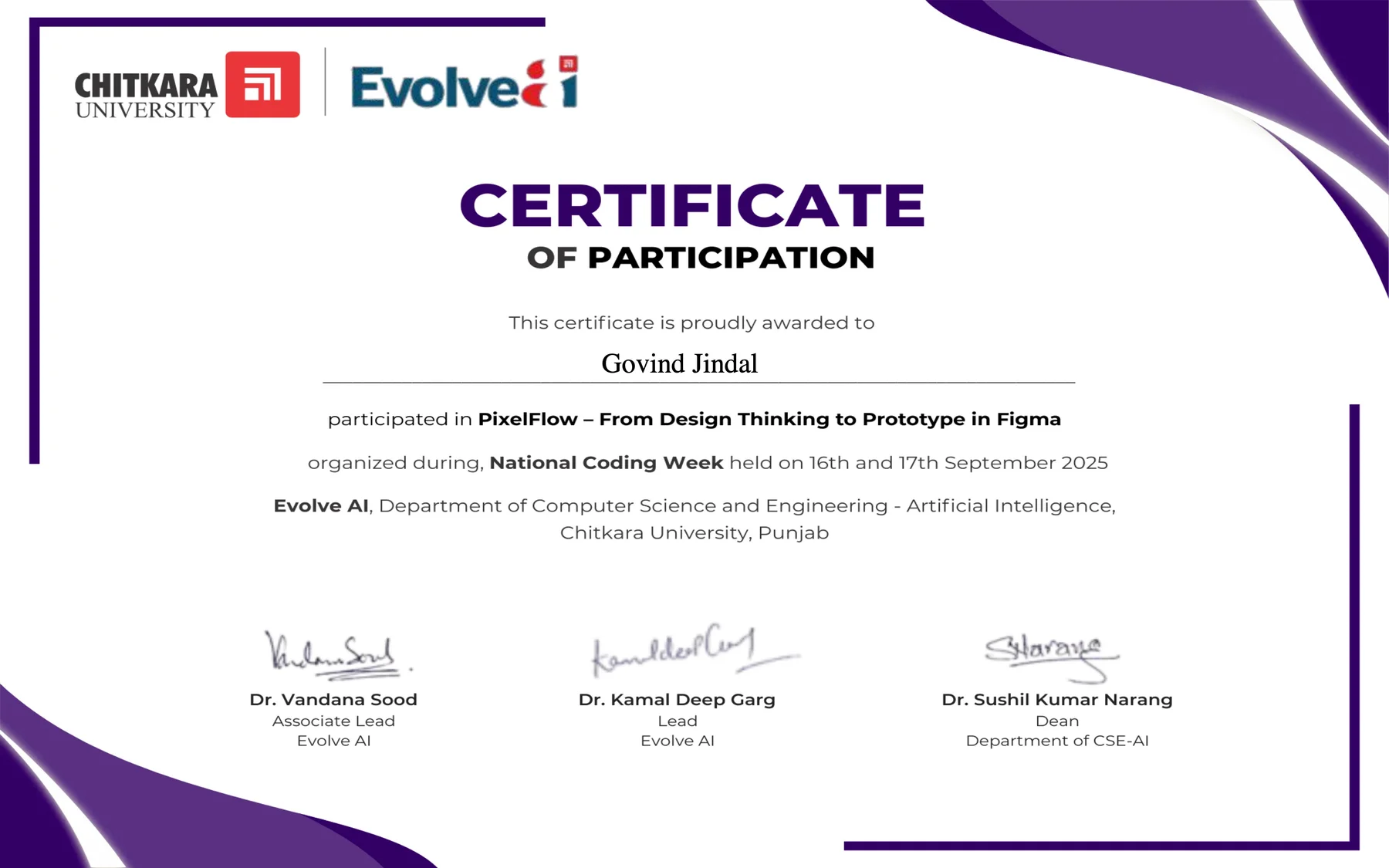
Participated in "PixelFlow – From Design Thinking to Prototype in Figma" at National Coding Week, 16 and 17 September 2025, from Evolve AI and the Department of CSE-AI, Chitkara University. Signed by Dr. Vandana Sood, Dr. Kamal Deep Garg and Dr. Sushil Kumar Narang. 📜
“A Figma frame is a promise, and the code is where you find out what it costs. Building FUSION one stage at a time taught me to read a design the way a developer will.”
Next workshop
Intellex 2.0: Where Critical Thinking Thrives